
School, parents and teachers on the same page.
MobileKids brings the day of a nursery, preschool or school into one app, from attendance and the daily log to pickup and finance. Parents and teachers use it free; the school manages everything from one place, limited by permissions.
- Free for parents and teachers
- 14-day trial for schools
- No ads, analytics or tracking

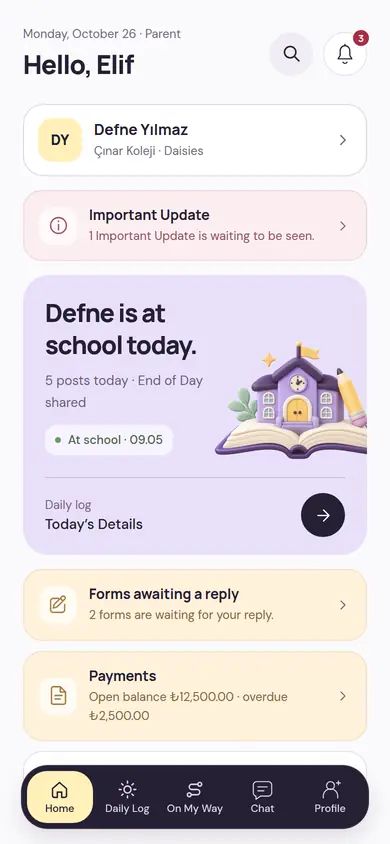
Everyone on their own screen, within the same day
One phone number is one person. The same person can be a parent, a teacher and a school admin; they switch roles with one account and one PIN.

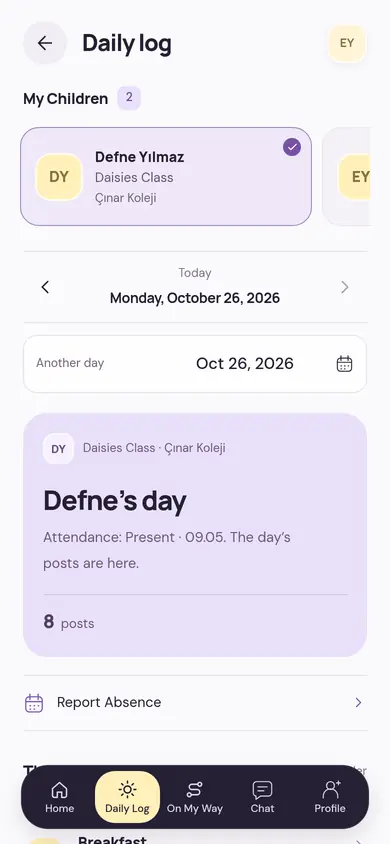
Parent
- The child’s day: meals, sleep, activities and notes
- Announcements, event permissions and Important Update
- Pickup code, On My Way and authorized people

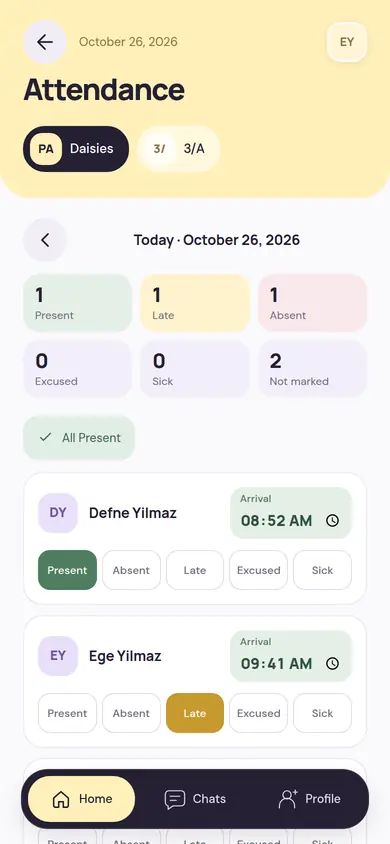
Teacher
- Fast attendance, the whole class on one screen
- Write the daily log for several children at once
- Photos, End of Day and the pickup queue

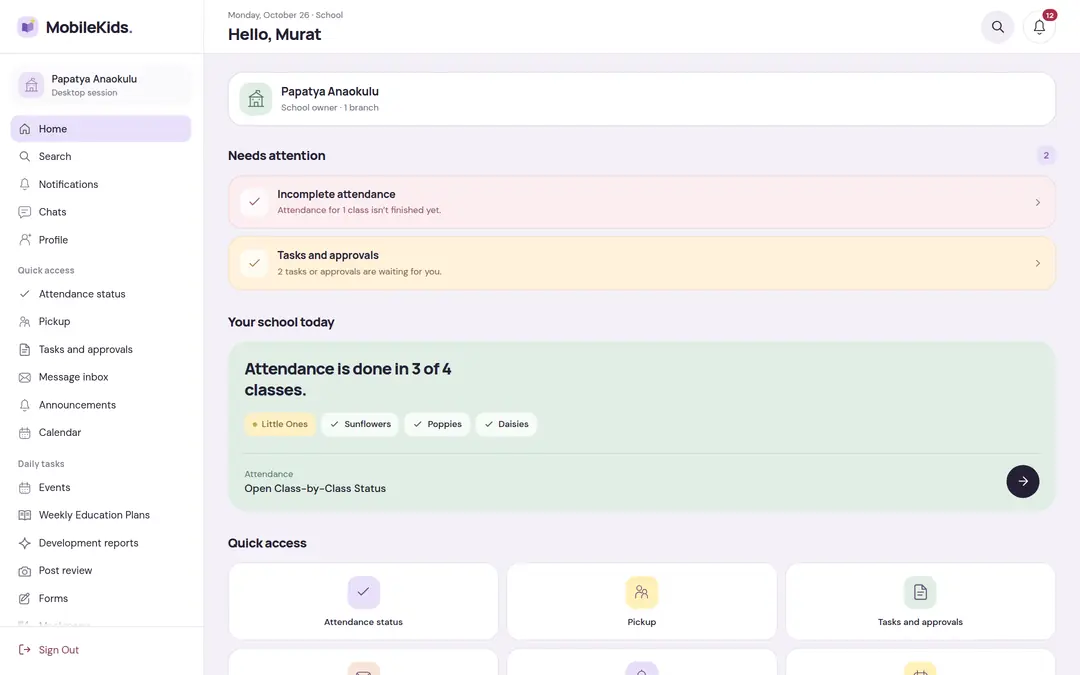
School
- Branches, classes, staff and permissions
- Finance, reports, pre-registration and operations
- Desktop management approved with your phone
A school day, in the app
The teacher records with quick taps in the classroom; parents see what they’re wondering about without having to ask; the school sees where the day stands at a glance.
-
08:45Morning
Attendance
The teacher marks the class as present, late, excused or sick. Parents see on their home screen that their child has arrived at school.
ParentTeacher -
12:30Noon
Daily Log
Meal, sleep, care and activity records are entered for several children at once; parents see them one by one during the day.
ParentTeacher -
16:00End of Day
End of Day and photos
The class’s day closes with a short summary. Shared photos open only to authorized parents.
ParentTeacher -
16:45Dismissal
Pickup
The parent says “On My Way” and the teacher gets the child ready. At the door, the ID of the person picking up is checked; a temporary authorized person shows the pickup code or QR. The handover is recorded.
ParentTeacherSchool
All of the school’s work, in one app
Built for communication and operations, and for schools with several branches. A school turns off the modules it doesn’t use; everyone sees only what they have permission for.
Daily Log and End of Day
Meals, sleep, care, activities and teacher notes; the class’s day closes with a summary.
Announcements and Emergency Announcements
To the school, a branch or a class, with read receipts. An emergency announcement keeps reminding until it’s read.
Pickup
Permanent and temporary authorized people, an optional single-use pickup code and QR, On My Way and an ID check at the door.
Messaging
With the teacher, with the class group and with the school’s inbox organized by topic, with clear reply hours.
Events, Calendar and Plan
Attendance replies and parent permission, the school agenda, the weekly education plan and the meal menu.
Finance and Reports
Parent accounts, installments and collections, cash box and bank, expenses and budget; reports in CSV, XLSX and PDF.
Desktop for the school’s heavy work
Finance, reports and long lists are easier on a wide screen. School screens open in the browser with a side menu; there is no password, and you sign in with your phone’s approval.
Get the code
On the phone, the Manage on Desktop screen creates a single-use 6-digit code that’s valid for a few minutes.
Type it in the browser
The browser shows a two-digit number.
Approve on the phone
On the phone you choose the same number, and the desktop session opens.
Children’s data comes first in every decision
Privacy isn’t a setting, it’s the default. When in doubt, less data and a narrower audience are chosen.
- There are no ads, analytics or tracking tools in the app.
- No face recognition or age analysis; the teacher enters the children’s tags in a photo by hand.
- Photos and videos are not public files; they open after a permission check.
- Notification text contains no health information; parents can turn off the child’s name.
- Everyone sees only what their role, branch and class permit.
- Critical actions leave a record; sensitive finance actions wait for a second person’s approval.
Free for parents and teachers
The subscription belongs to the school: a single feature plan, monthly, six-monthly or yearly. A school tries it free for 14 days.
School
14-day trialThen a single plan: monthly, 6-month or yearly
All modules in a single plan. The price shows in the store in the local currency.
PricingFrequently asked
Short answers here; the details are on the Frequently Asked Questions page.
Where do I download the app?
MobileKids is coming soon to the App Store and Google Play. The school’s desktop management opens in a browser on a computer, with approval from your phone.
Do parents and teachers pay?
No. Parents and teachers use it free; the subscription belongs to the school.
Who can see my child’s photos?
Authorized parents in the post’s audience and the school’s authorized staff. Photos don’t sit at a public address; permission is checked every time one is opened.
We have several branches, is that OK?
Yes. There is a school, branch and class structure; permissions can be limited by branch or class.
Start free for 14 days at your school
Write your school’s name and the number of branches and classes; we’ll tell you what it takes to get started.